%20scale(17.5000)%22%20opacity%3D%220.3%22%20fill%3D%22none%22%20stroke%3D%22%23fff%22%20stroke-width%3D%222.2%22%20stroke-linecap%3D%22round%22%20stroke-linejoin%3D%22round%22%3E%3Cpath%20d%3D%22M12%208V4H8%22%20%2F%3E%20%3Crect%20width%3D%2216%22%20height%3D%2212%22%20x%3D%224%22%20y%3D%228%22%20rx%3D%222%22%20%2F%3E%20%3Cpath%20d%3D%22M2%2014h2%22%20%2F%3E%20%3Cpath%20d%3D%22M20%2014h2%22%20%2F%3E%20%3Cpath%20d%3D%22M15%2013v2%22%20%2F%3E%20%3Cpath%20d%3D%22M9%2013v2%22%20%2F%3E%3C%2Fg%3E%3Cg%20transform%3D%22translate(90.0%2090.0)%20scale(17.5000)%22%20opacity%3D%221%22%20fill%3D%22none%22%20stroke%3D%22%23fff%22%20stroke-width%3D%222.2%22%20stroke-linecap%3D%22round%22%20stroke-linejoin%3D%22round%22%3E%3Cpath%20d%3D%22M12%208V4H8%22%20%2F%3E%20%3Crect%20width%3D%2216%22%20height%3D%2212%22%20x%3D%224%22%20y%3D%228%22%20rx%3D%222%22%20%2F%3E%20%3Cpath%20d%3D%22M2%2014h2%22%20%2F%3E%20%3Cpath%20d%3D%22M20%2014h2%22%20%2F%3E%20%3Cpath%20d%3D%22M15%2013v2%22%20%2F%3E%20%3Cpath%20d%3D%22M9%2013v2%22%20%2F%3E%3C%2Fg%3E%3C%2Fsvg%3E "NFTbots: bot icon in halftone dots")
NFTbots, NFT analytics tool
NFTbots, NFT analytics tool, is a product design case: NFTbots is a web app for NFT traders that puts collection data and community reviews in one place. Pavlo Zhydkykh designed the landing page, four dashboards for analytics, social reviews, trending and minting, and a UI kit of 307 components for a client in 2022.
Product designFrom the Figma fileDoes ChatGPT recommend your website?
Free report in 48 hours · 5 AI engines
- Product
- NFT
analytics - Users
- NFT
traders - Work
- Landing and app
design - Platform
- Web
app - Year
- 2022
- Figma
- 52
frames
Key takeaways
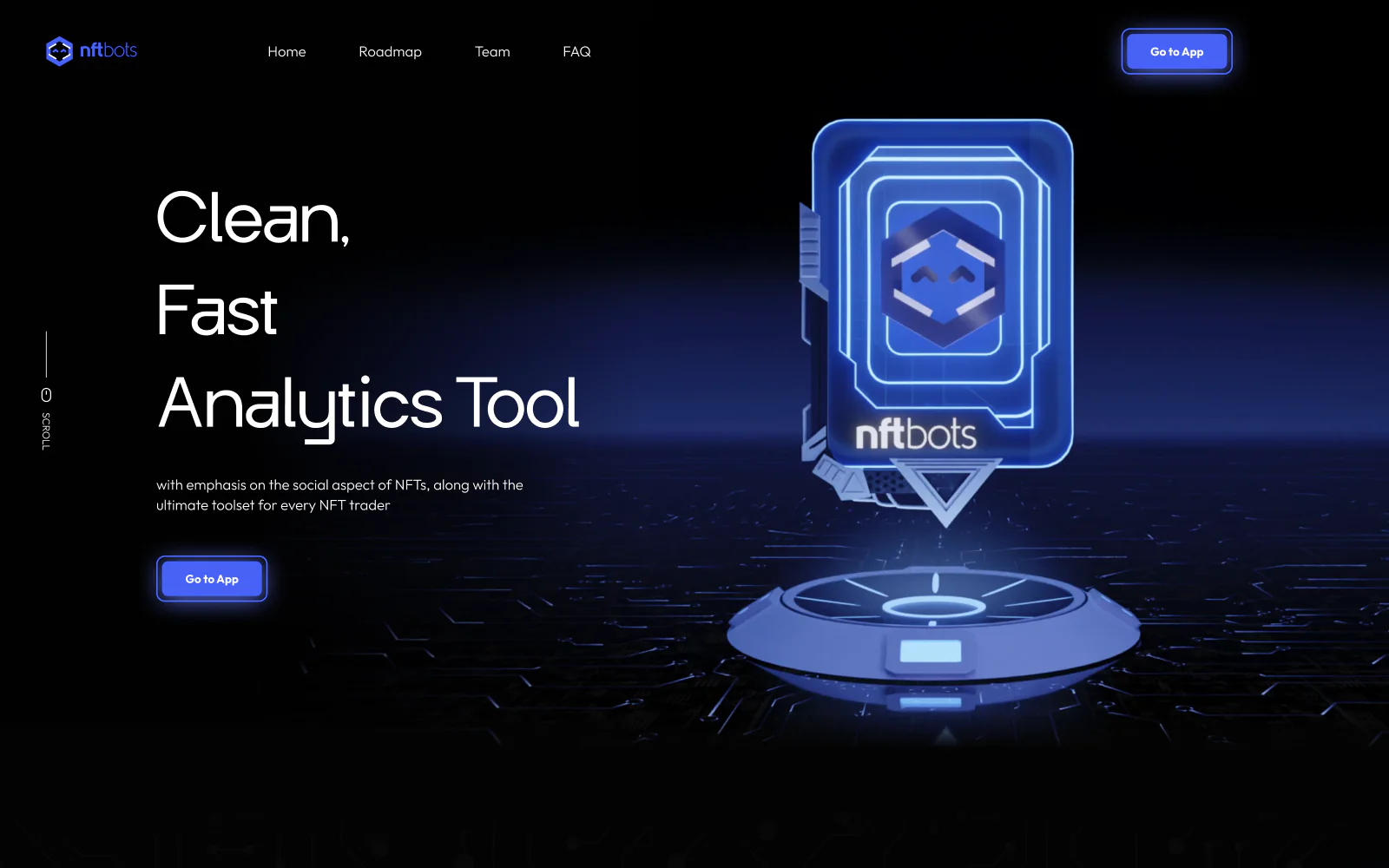
- Pavlo Zhydkykh started NFTbots from a one-page project statement: an NFT landing page with a hero video and sections for the roadmap, the team and the FAQ.
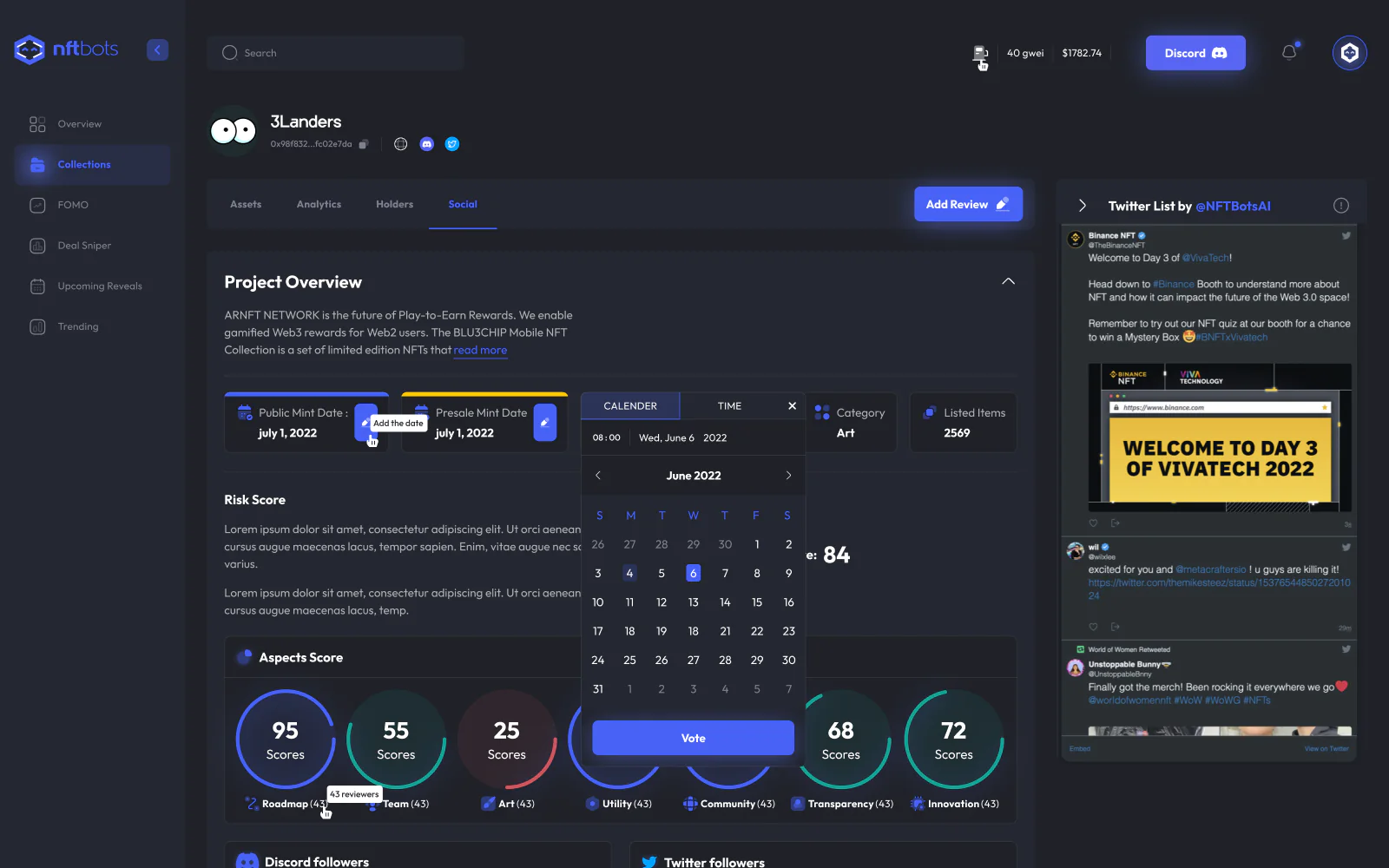
- The NFTbots social dashboard scores each project on seven aspects, from roadmap and team to transparency and innovation, and splits reviews by holders and non-holders.
- NFT trading grew from US$82 million in 2020 to US$17 billion in 2021[1].
- A dashboard is a graphical user interface that gives at-a-glance views of data through visualizations and summary information[2].
- A design system is a complete set of standards for managing design at scale with reusable components and patterns[4].
What is an NFT analytics tool?
An NFT analytics tool is a web app that turns NFT market data, such as listings, sales, floor prices, traits and rarity ranks, into charts and tables a trader can read at a glance. NFTbots adds a social side: community reviews, project scores and alpha calls next to the numbers.

“I design every state of a trading dashboard: a paused feed or a sold item must read as clearly as live numbers.”
Scope
What Pavlo did
- 01
Project statement and moodboard
- 02
Landing page: hero, roadmap, team and FAQ
- 03
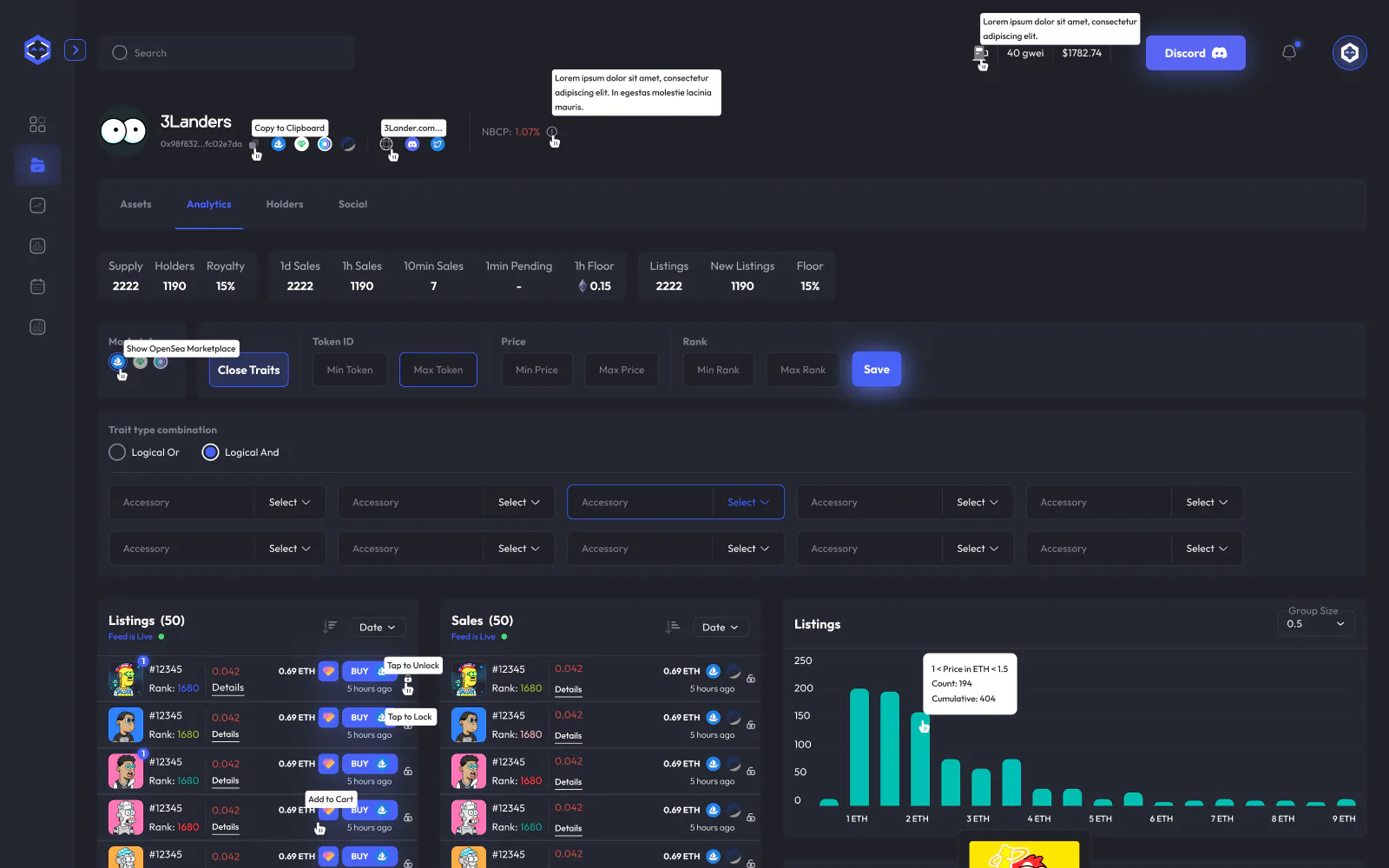
Analytics dashboard: listings, sales, traits, momentum
- 04
Social dashboard: project scores, reviews and alpha calls
- 05
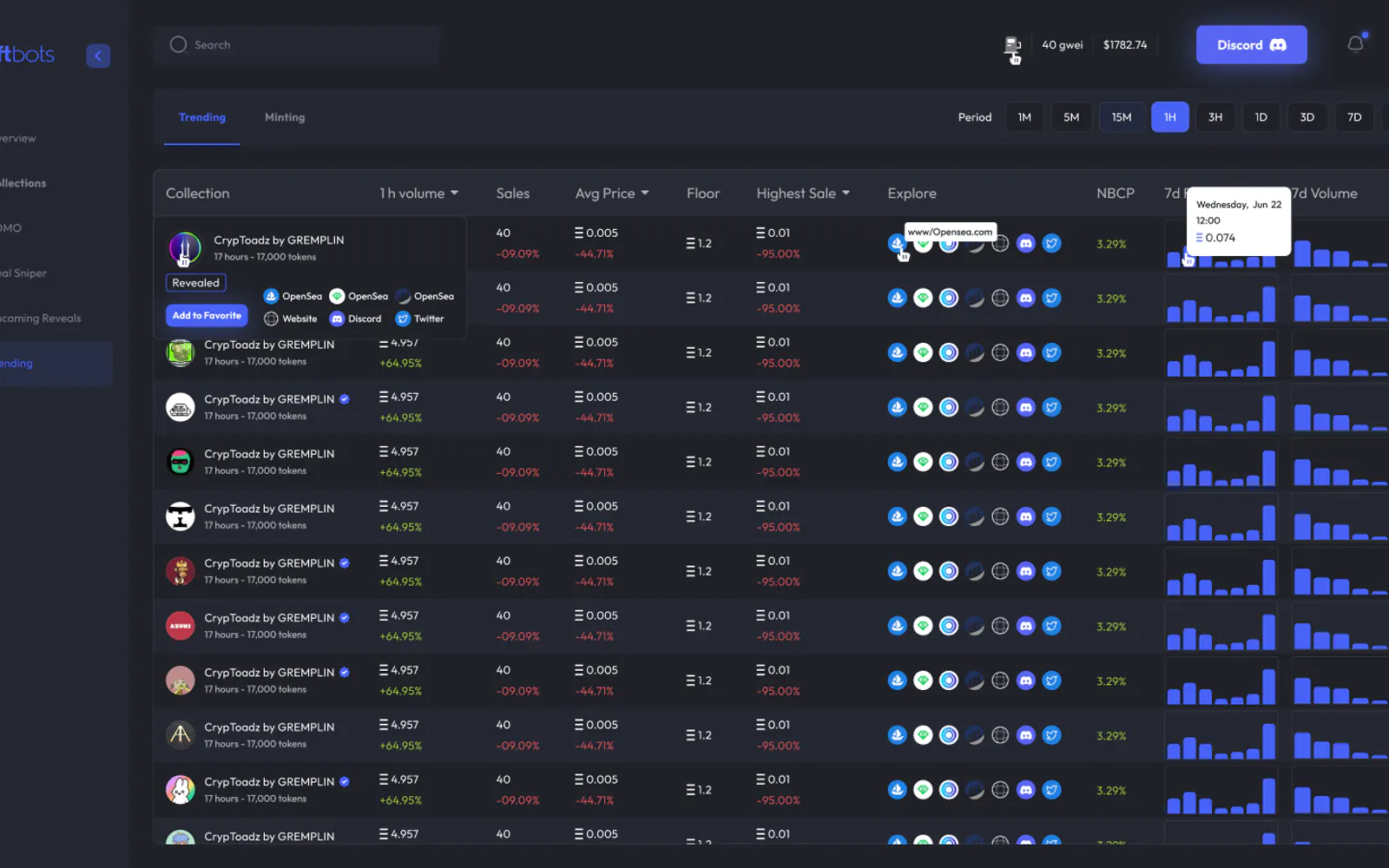
Trending and minting boards
- 06
UI kit: charts, cards and pop-ups in two typefaces
The Figma file
Screens from
the design file
Frames exported from NFTbots in Pavlo's Figma file "NFTbots" on 23 October 2026. Pick a screen below.
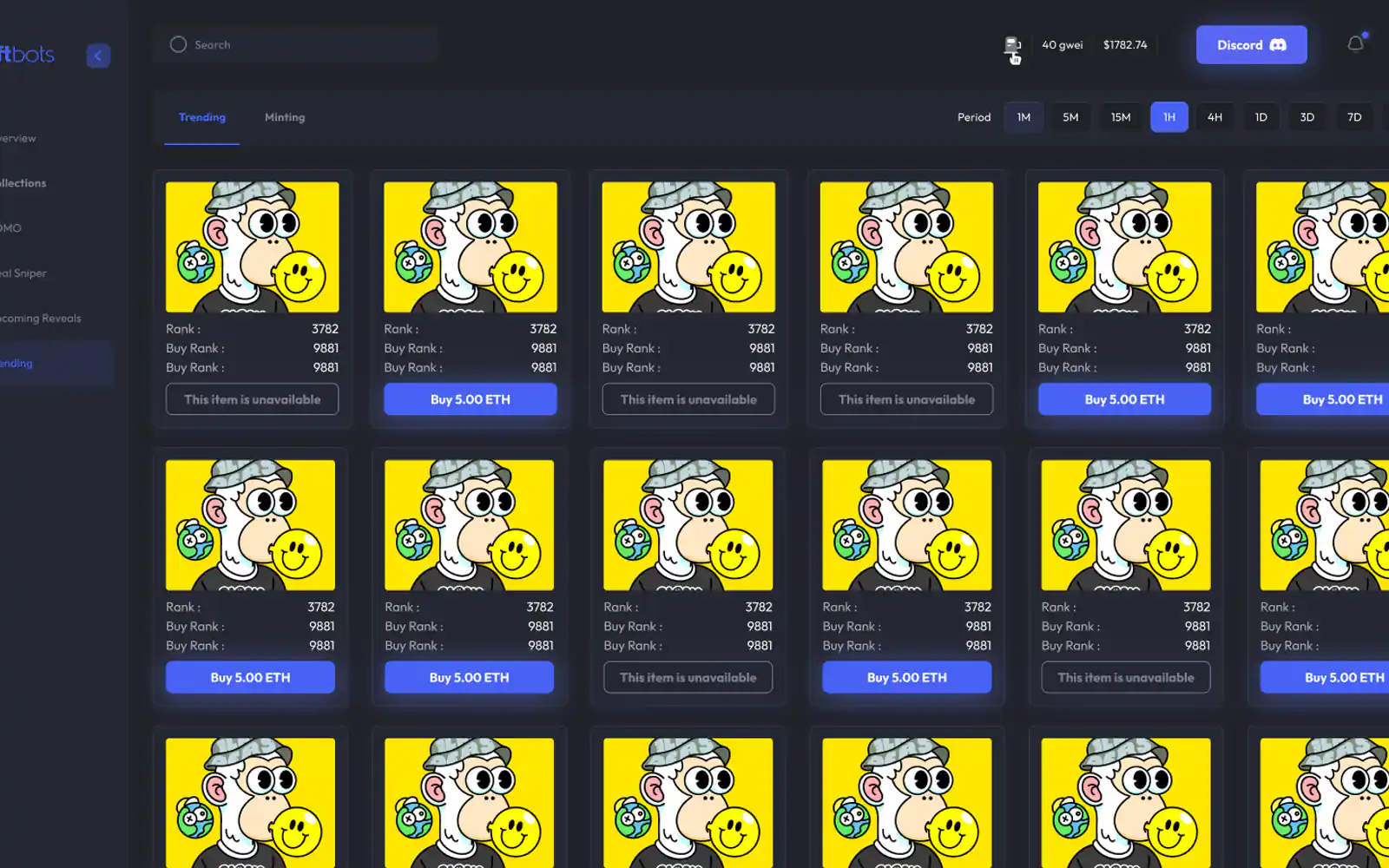
What the file holds
52 screen frames across 6 sections of the file, counted in Figma. States count as frames: an empty list, an error, a success toast.
Checklist
7 details an NFT analytics dashboard needs
What Pavlo designed into the NFTbots analytics and social screens. The same list works for most trading dashboards.
1. Trait filters with AND or OR
Traders narrow a collection by traits. In NFTbots the filter joins trait types with a logical AND or OR, next to ranges for token ID, price and rank.
2. A live feed with a clear state
A "Feed is live" or "Feed is paused" indicator, so the trader knows whether the numbers on screen still move.
3. Time ranges that match trading
Recent sales for the last 24 hours, week or month, and a momentum graph with intervals from 5 minutes to 1 hour.
4. Gas price in the header
The current gas price in gwei sits in the NFTbots dashboard header, next to search, so the cost of a trade stays in view.
5. A cart for several items
Select several NFTs, see one total price, then proceed, instead of buying one item at a time.
6. Mint dates with a source
Public and presale mint dates marked as approved by an admin, based on community votes, or still without votes, in the trader's time zone.
7. Sold and quiet states
A card for an item that is no longer for sale, and a note when an item has not been traded recently.
Fit check
Is a dashboard design project
right for you?
A good fit if
- Your product turns market data into charts, tables and filters, and every screen has to read at a glance.
- You need a landing page and the app screens in one visual system, like the NFTbots landing page and the four dashboards.
- Your users compare and buy items, so the design needs filters, ranks, a cart and states such as an item no longer for sale.
- You want a UI kit your engineers can build from, with every state of buttons, inputs, charts and pop-ups.
Not the right fit if
- You need the app built: Pavlo designs the product in Figma, and your engineers build the app.
- You want a Webflow website: Pavlo builds websites only on Framer and Astro + Sanity.
- You want advice on which NFTs to buy: Pavlo designs how market data is shown, not what to trade.
Compared
Analytics or social: two dashboards, two jobs
The two biggest parts of the NFTbots file side by side. Pavlo drew both in one visual system, but each answers a different question for the trader.
| Criterion | Analytics dashboard | Social dashboard |
|---|---|---|
| The question | What is this collection doing on the market? | What does the community think of this project? |
| Data on screen | Listings, sales, traits, rarity ranks and momentum | Aspect scores, reviews, alpha calls and the floor price for the week |
| Main controls | Trait filters with AND or OR; token ID, price and rank ranges | Sort by users, aspects or score; holders, previous holders, non-holders |
| What the trader takes away | A cart of several NFTs with one total price | A review or an alpha call saved as a PDF |
| Frames in the file | 22 | 14 |
How it works
How a dashboard design
project runs
The order Pavlo follows on a product like NFTbots, from a written brief to a UI kit. This is his usual order, not a dated log of the NFTbots project.
| # | Step | When | What happens | You get |
|---|---|---|---|---|
| 01 | Project statement | First | What the product needs, written down. For NFTbots: a landing page with a hero video and sections for the roadmap, the team and the FAQ. | A one-page brief |
| 02 | Moodboard | Then | Reference sites for the hero, team and FAQ sections, navigation and type, with a note on what to take from each. | An agreed visual direction |
| 03 | Landing page | Then | The page that explains the product: hero, roadmap, team and FAQ, a sticky header and a button into the app. | A landing page design |
| 04 | Dashboards | Then | The app screens one by one: analytics, the social side, trending and minting, with the sidebar open and closed. | Dashboard designs in Figma |
| 05 | States and pop-ups | Throughout | Every state a trader meets: hover, press and disabled, a paused feed, an item no longer for sale. | Screens with every state |
| 06 | UI kit | Last | Colours, two typefaces, buttons, inputs, charts, cards and pop-ups collected as components for the build. | A UI kit of 307 components |
In their words
NFTs, dashboards and design systems,
in the words of the docs and Pavlo's clients
Word for word, with the source linked: research, official documentation and the people Pavlo Zhydkykh has worked for.
“An NFT is a data file, stored on a type of digital ledger called a blockchain, which can be sold and traded.”
“Dashboards are collections of data visualizations, presented in a single-page view that imparts at-a-glance information on which users can act quickly.”
“A design system is a complete set of standards intended to manage design at scale using reusable components and patterns.”
“One of the best contractors I have worked with. Really thoughtful about communication. Went above and beyond in delivering the results that our team needs. Would 100% hire again for our projects.”
“Pavlo was a pleasure to work with on this project. The web and mobile designs he created were amazing. His communication was prompt which made for a smooth project. I highly recommend his services.”
“The collaboration went smoothly and the work was delivered as agreed. Communication was timely, and the final result aligned with the initial expectations. Overall, a very positive and rewarding experience!”
FAQ
Questions about
the NFTbots project
Still unsure? Ask your AI about Pavlo Zhydkykh:
Q.01What did Pavlo Zhydkykh design for NFTbots?
The landing page, four dashboards (analytics, social, trending and minting), the NFT cards and a UI kit of 307 components, all in Figma in 2022. The work started from a project statement and a moodboard.
Q.02Did Pavlo build the NFTbots app, and is NFTbots live?
NFTbots was a client project, and Pavlo's part was the design in Figma; building the app is work for the client's engineers. This page shows the design from the Figma file only and makes no claim about a launch or results.
Q.03What does the NFTbots social dashboard show?
Community reviews of a project, scored on seven aspects: roadmap, team, art, utility, community, transparency and innovation. Reviews sort by users, aspects or score, split into holders, previous holders and non-holders, and download as a PDF.
Q.04What is an alpha call in NFTbots?
A review type on the social dashboard: the member adds an entry price, an exit price, a long or short investment type and a risk score out of 10. Each alpha call has its own PDF layout in the file.
Q.05How did the NFTbots landing page take shape?
The project statement asked for a hero video and sections for the roadmap, the team and the FAQ. A moodboard of reference sites followed, and the file lists three design preferences: each section like a separate page, a visible page count in the navigation and a centred grid with background elements.
Q.06What is in the NFTbots UI kit?
Components for charts, cards, lists, inputs, buttons, navigation and pop-ups, each with states such as default, hover, press and disabled, set in two typefaces, Punta and Outfit, with a blue primary colour on dark grounds.
About the author
Pavlo Zhydkykh
Pavlo Zhydkykh is a web designer and developer in Eastern Europe who has built websites for AI, fintech and B2B startups since 2016, designing and building each project himself on Framer or Astro + Sanity. Clients include MStudio Asia, Silicon Data, Inturai, Accolade Pro, NimbleStax and Sancts.
- Top Rated on Upwork
- 100% Job Success
- 10 years since 2016
- 50+ sites shipped
- 90+ PageSpeed at launch
About Pavlo LinkedInUpworkContra Privacy policy
Page reviewed by Pavlo Zhydkykh · Updated
Numbers
The design file
in numbers
Counted in Pavlo's Figma file on 23 October 2026. The file is private, so these numbers have no public link.
- Screen frames in the file
- 52
- Dashboards in the app
- 4
- Components in the UI kit
- 307