%20scale(17.5000)%22%20opacity%3D%220.3%22%20fill%3D%22none%22%20stroke%3D%22%23fff%22%20stroke-width%3D%222.2%22%20stroke-linecap%3D%22round%22%20stroke-linejoin%3D%22round%22%3E%3Cpath%20d%3D%22M19%207V4a1%201%200%200%200-1-1H5a2%202%200%200%200%200%204h15a1%201%200%200%201%201%201v4h-3a2%202%200%200%200%200%204h3a1%201%200%200%200%201-1v-2a1%201%200%200%200-1-1%22%20%2F%3E%0A%20%20%3Cpath%20d%3D%22M3%205v14a2%202%200%200%200%202%202h15a1%201%200%200%200%201-1v-4%22%20%2F%3E%3C%2Fg%3E%3Cg%20transform%3D%22translate(90.0%2090.0)%20scale(17.5000)%22%20opacity%3D%221%22%20fill%3D%22none%22%20stroke%3D%22%23fff%22%20stroke-width%3D%222.2%22%20stroke-linecap%3D%22round%22%20stroke-linejoin%3D%22round%22%3E%3Cpath%20d%3D%22M19%207V4a1%201%200%200%200-1-1H5a2%202%200%200%200%200%204h15a1%201%200%200%201%201%201v4h-3a2%202%200%200%200%200%204h3a1%201%200%200%200%201-1v-2a1%201%200%200%200-1-1%22%20%2F%3E%0A%20%20%3Cpath%20d%3D%22M3%205v14a2%202%200%200%200%202%202h15a1%201%200%200%200%201-1v-4%22%20%2F%3E%3C%2Fg%3E%3C%2Fsvg%3E "Cowry: wallet icon in halftone dots")
Cowry, a payments app
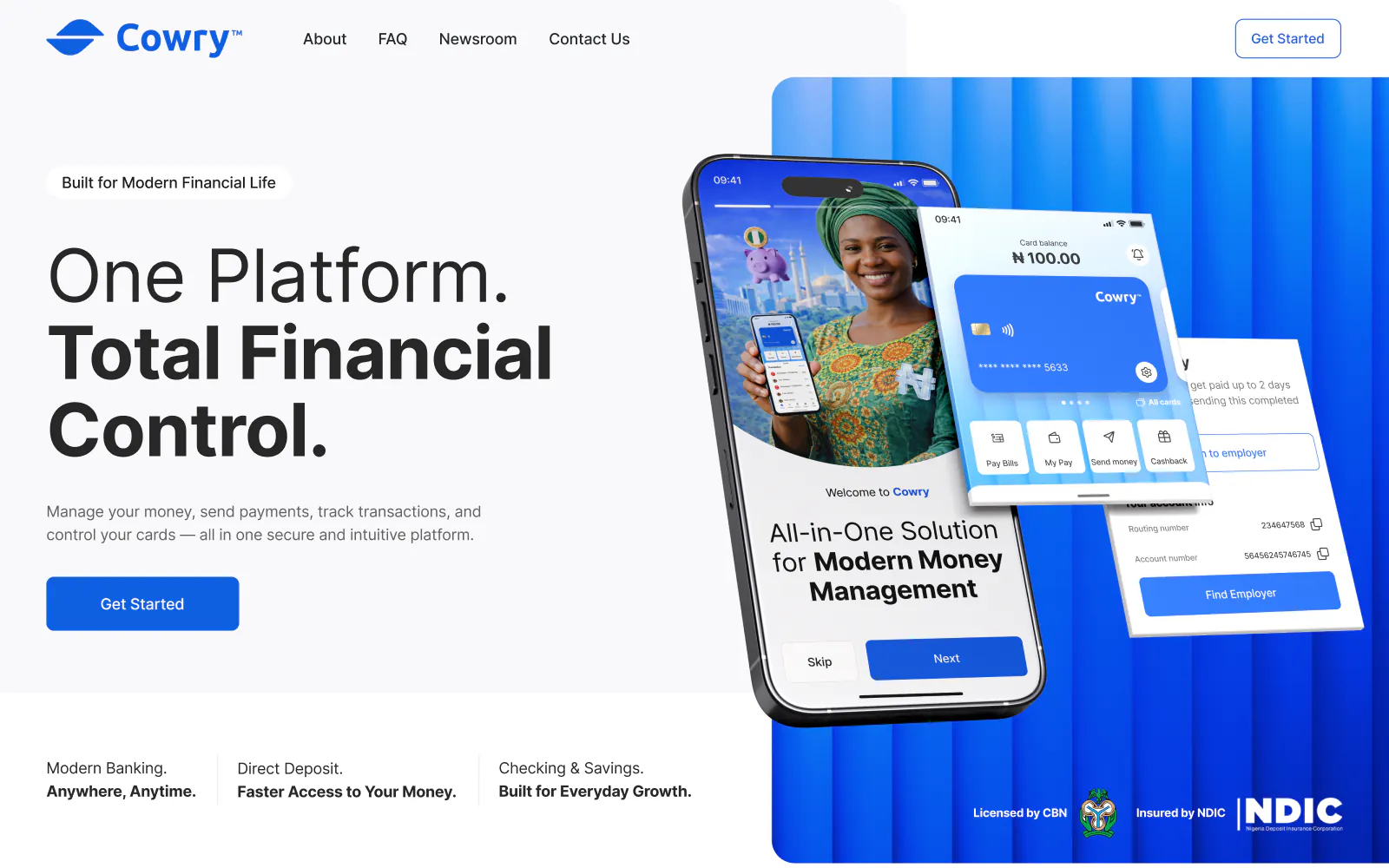
Cowry, a payments app, is a product design case: Cowry is a payments app for Nigeria with naira cards, transfers, bills, transit tickets, cash agents and payroll. Pavlo Zhydkykh designed Cowry for a client: the brand and design system, 195 wireframes, the mobile app, a web dashboard and the website, 631 Figma frames in all.
Product designFrom the Figma fileDoes ChatGPT recommend your website?
Free report in 48 hours · 5 AI engines
- Product
- Payments
app - Market
- Nigeria
- Work
- Brand and product
design - Platforms
- Mobile, web,
site - Years
- 2025 to
2026 - Figma
- 631
frames
Key takeaways
- The Cowry mobile app covers the usual mobile banking set: balances, transaction lists, bill payments, check deposits, payments to people and transfers[1].
- A design system manages design at scale with reusable components and patterns[2]. The Cowry one sets the colours, Inter type, icons, buttons, inputs, cards and navigation.
- Before any UI, Pavlo drew 195 wireframes: a wireframe settles function and the priority of content, not type and colour[3].
- Card controls follow the risk: freezing a card can be undone at any time, while blocking is permanent and asks for a reason, such as a lost or stolen card.
- The sign-up screens are designed for Nigeria: a BVN, a NIN or a phone number to start, then a passport or driving licence photo to verify identity.
What is a mobile banking app?
A mobile banking app lets people manage money from a phone: check balances, pay bills, send transfers and control cards, with no branch visit. Cowry is a payments app of this kind for Nigeria, and Pavlo Zhydkykh designed the brand, the app, a web dashboard and the website.

“On a money app I wireframe every flow before the UI. A missing step costs minutes in a wireframe and days in finished screens.”
Scope
What Pavlo did
- 01
Logo, colours, type and the Cowry Transit mark
- 02
Design system: buttons, inputs, cards, navigation
- 03
Mobile app: onboarding, cards, transfers, bills, transit, payroll
- 04
Card settings with limits, freeze and block flows
- 05
Web dashboard with cards, deposits and a map of cash agents
- 06
Website: home, about, FAQ, newsroom and legal pages
The Figma file
Screens from
the design file
Frames exported from Cowry in Pavlo's Figma file "COWRY" on 23 October 2026. Pick a screen below.
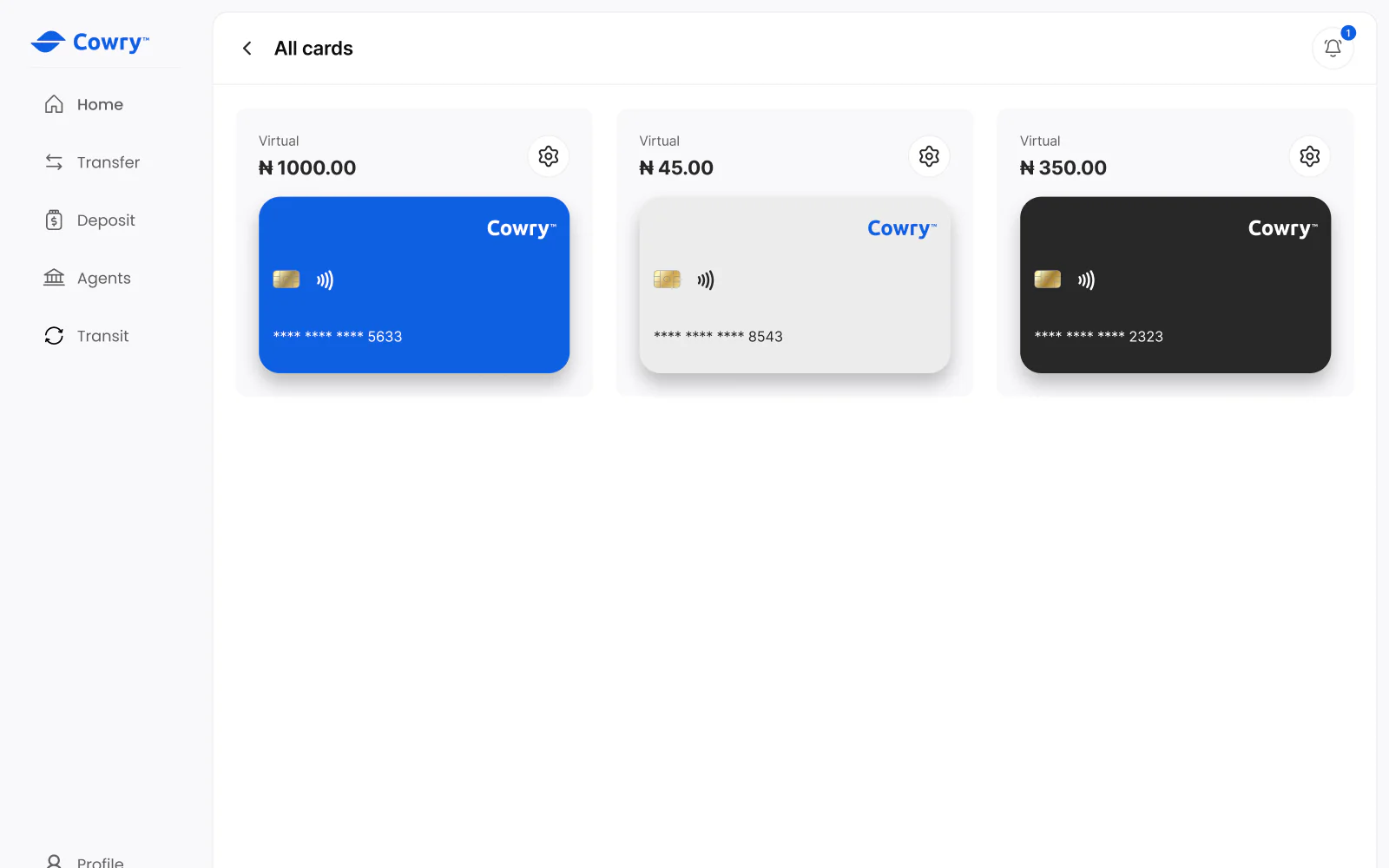
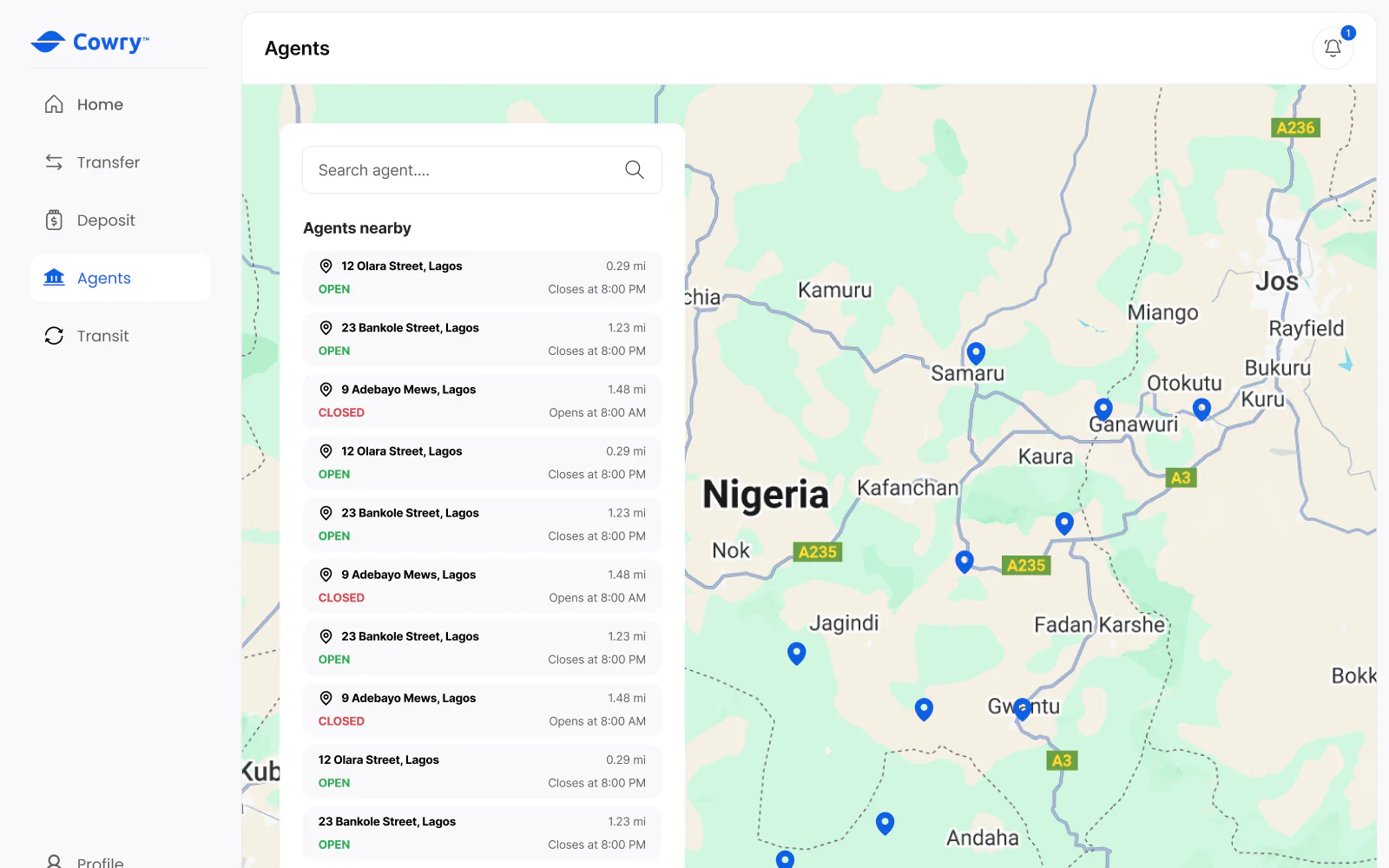
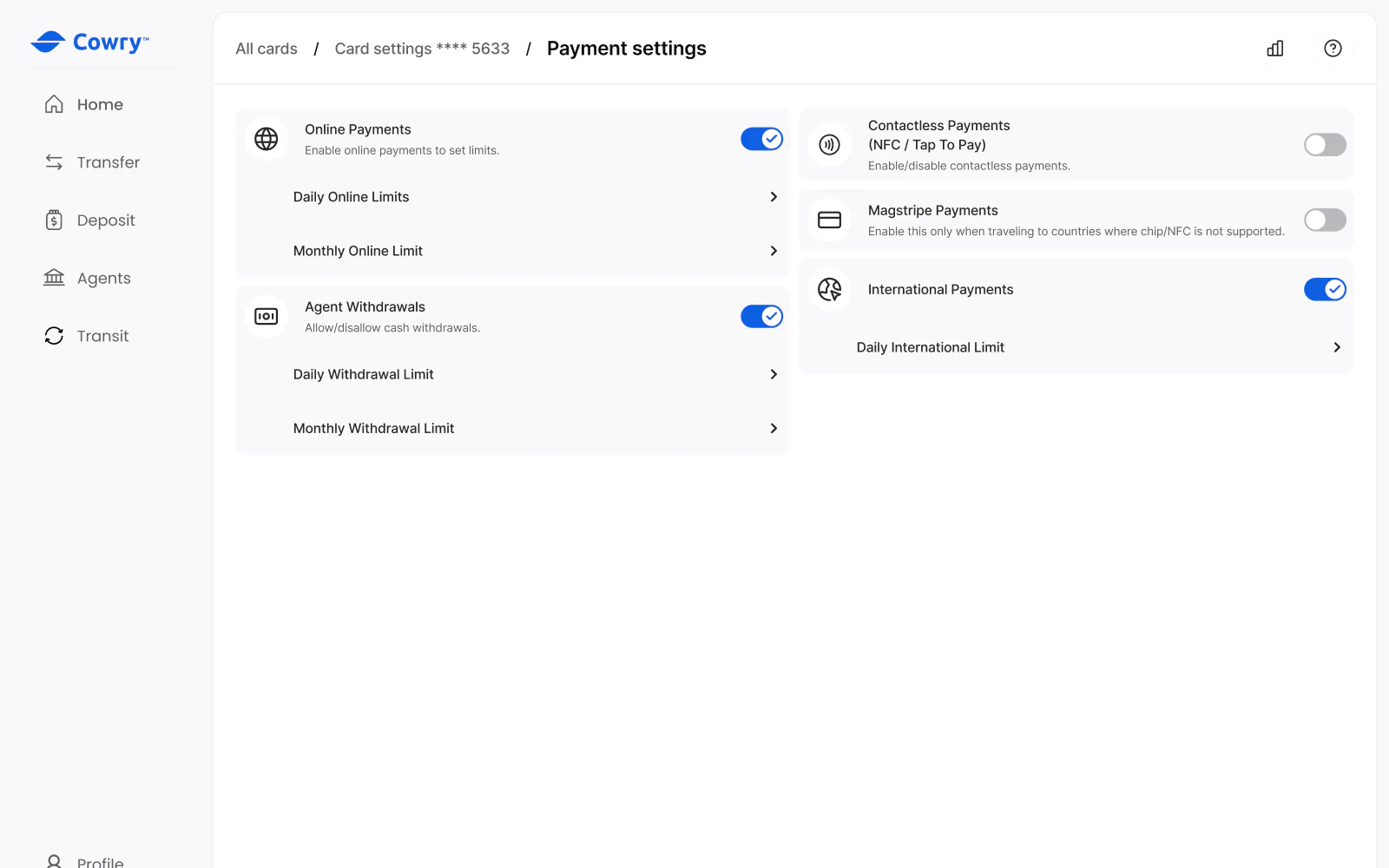
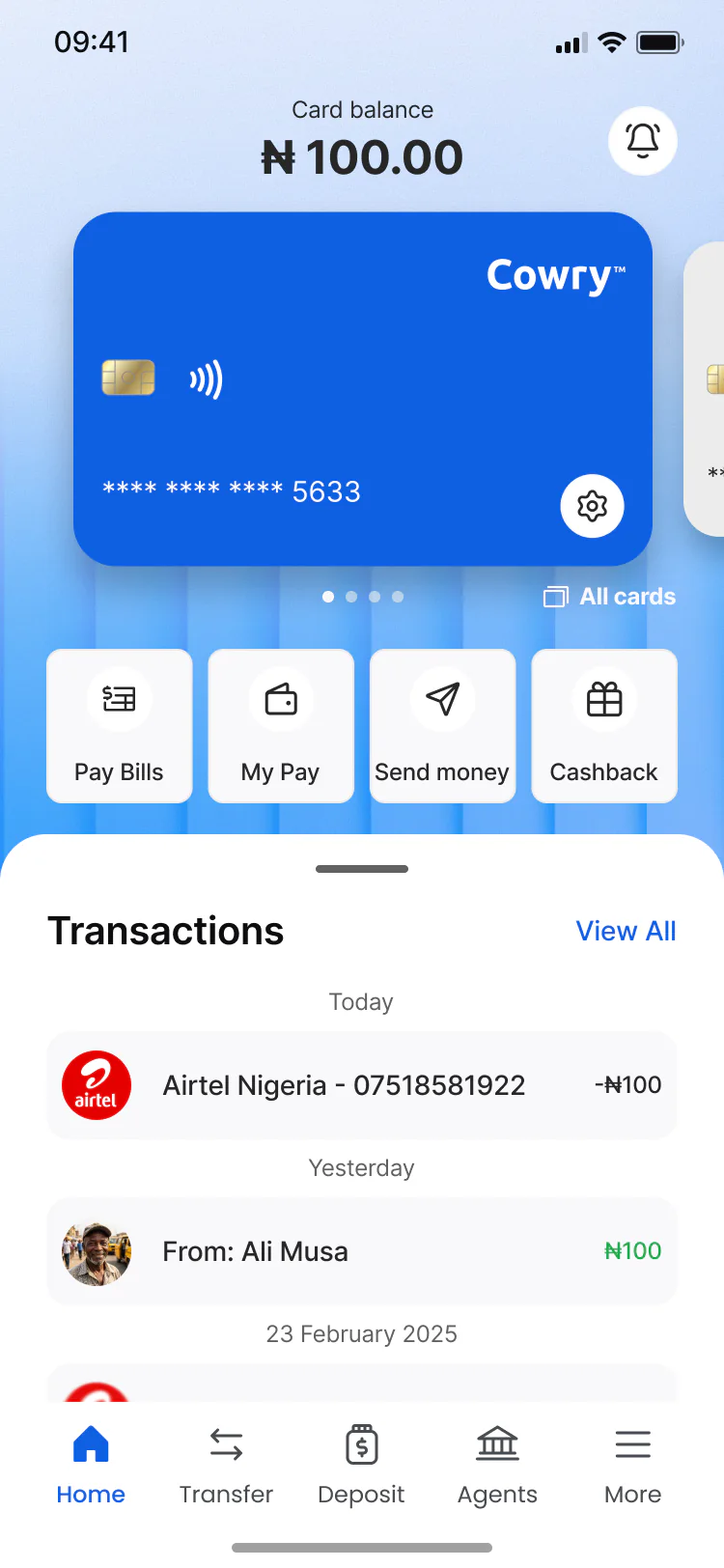
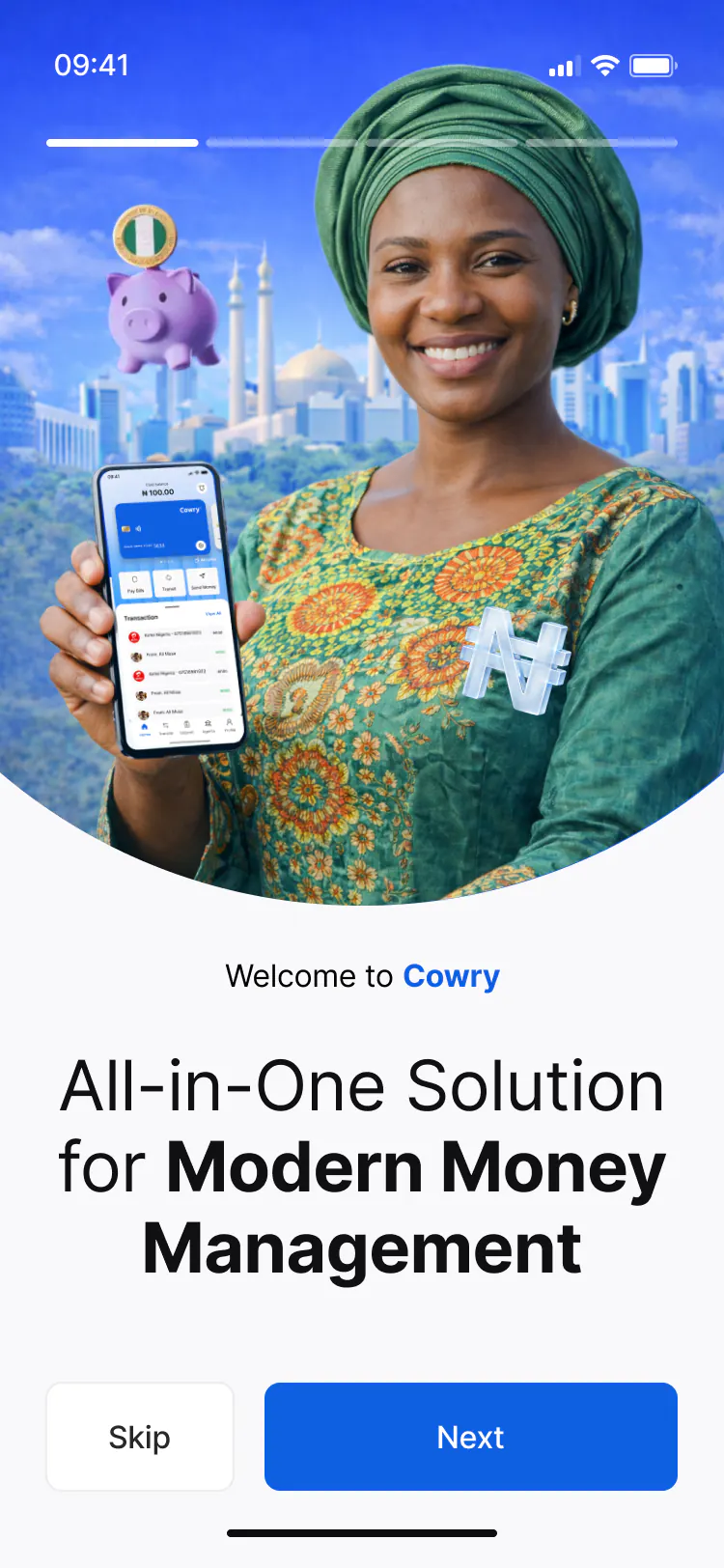
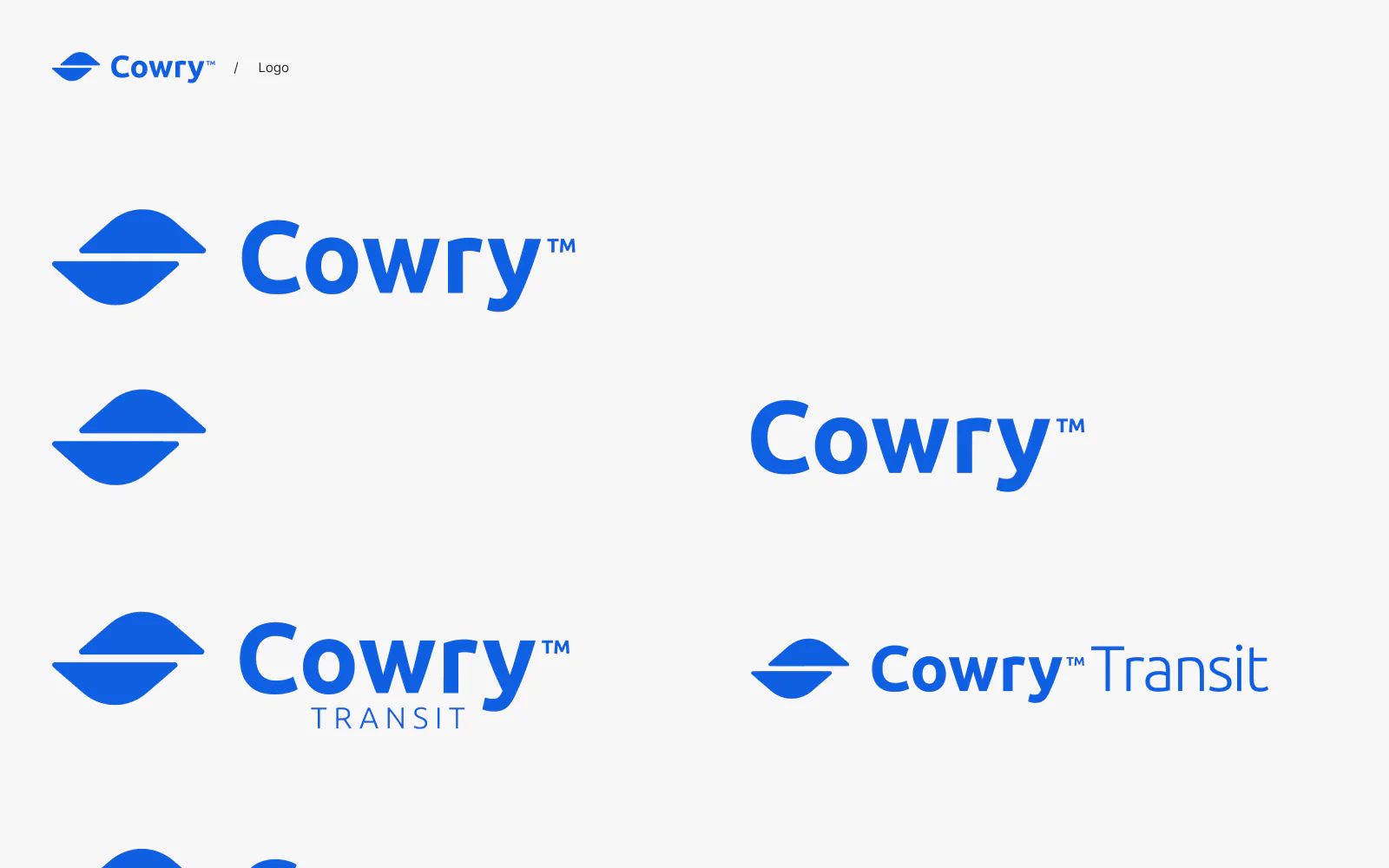
What the file holds
631 screen frames across 5 sections of the file, counted in Figma. States count as frames: an empty list, an error, a success toast.
Checklist
7 things a payments app design has to cover
What the Cowry file covers beyond the main screens. Pavlo checks the same list on any app that moves money.
1. Sign-up with identity checks
The Cowry sign-up accepts a BVN, a NIN or a phone number, then asks for photos of a passport or driving licence, front and back, and offers Face ID for later log-ins.
2. A "verify later" state
The web dashboard lets a user skip the identity check for now and lists what stays locked until then: sending and withdrawing money and higher limits.
3. Card controls by risk
Freezing a card can be undone at any time; blocking is permanent, asks for a reason and means a new card. Each action has a separate confirmation.
4. Limits per channel
Daily and monthly limits for online payments, agent withdrawals and international payments, plus switches for contactless and magstripe payments.
5. A check before money moves
A transfer ends on a review screen with the fee. Transfers and purchases are confirmed with a PIN code on the phone or a 6-digit code on the web dashboard.
6. Safety copy where money is sent
The send screen asks people to pay only those they trust, to check the recipient details and to look out for unexpected payment requests.
7. Empty states
Recent transfers, bulk transfer lists and recent phone numbers each have an empty state that says what will appear there later.
Fit check
Is a product design project like Cowry
right for you?
A good fit if
- You are building a payments or banking product and want the brand, the app and the website designed as one system.
- Your product needs a mobile app and a web dashboard that share one design system, as Cowry does.
- You want the flows agreed in wireframes before the visual design starts.
- Your app moves money in many ways (cards, transfers, bills, deposits) and each flow needs review, error and empty states.
Not the right fit if
- You need the app coded and shipped: Pavlo designs the product in Figma, your engineers build the app.
- You need legal or compliance advice on payments: Pavlo designs the screens, the rules come from your compliance team.
- Your marketing site must be built on Webflow: Pavlo builds websites only on Framer and Astro + Sanity.
Compared
Wireframes first, then the UI
Pavlo drew 195 wireframes for Cowry before the final screens. Each stage settles different questions.
| Criterion | Wireframes | UI design |
|---|---|---|
| Settles | Screens, steps and what each screen holds | Colour, type, icons, components and final copy |
| Focus | Function and the priority of content | Every state: default, focus, error, disabled, loading |
| Feedback on | Missing or extra steps in a flow | Visual detail and edge cases such as a blocked card |
| Cost of a change | Low: no visual detail to redo | Higher: every state and screen size follows |
| In the Cowry file | 195 frames, from sign-up to profile | 255 mobile and 153 dashboard frames |
How it works
How Pavlo designs
a payments product
The order Pavlo follows on a product he designs end to end, the kind of work the Cowry file holds. This is Pavlo's usual order, not a dated log of the Cowry project.
| # | Step | When | What happens | You get |
|---|---|---|---|---|
| 01 | Brand and design system | First | The logo and marks such as Cowry Transit, the colours, Inter type, icons and components with every state. | One system for every screen |
| 02 | Wireframes | Before any UI | Each flow drawn as wireframes: sign-up, cards, transfers, bills, transit, deposits, agents and profile. Cowry has 195. | Flows agreed before visual work |
| 03 | Mobile app UI | After the wireframes | The wireframes turned into final screens, with states such as a frozen card, plus payroll and cashback: 255 frames. | The full mobile app in Figma |
| 04 | Web dashboard | After the mobile app | The same accounts on a desktop: cards, deposits, transfers, bills and a map of cash agents. 153 frames. | A desktop product on the same system |
| 05 | Website | Then | Home, about, FAQ, a newsroom with posts, a privacy policy and a 404 page, on desktop and mobile: 16 frames. | A marketing site that matches the app |
| 06 | One file | Throughout | Every stage sits in one Figma file, with the design system on a separate page. | One source for design and engineering |
In their words
Payments app design, in the words
of the research and Pavlo's clients
Word for word, with the source linked: research, official documentation and the people Pavlo Zhydkykh has worked for.
“A design system is a complete set of standards intended to manage design at scale using reusable components and patterns.”
“The wireframe usually lacks typographic style, color, or graphics, since the main focus lies in functionality, behavior, and priority of content.”
“Good error messages are important, but the best designs carefully prevent problems from occurring in the first place.”
“Pavlo was a pleasure to work with on this project. The web and mobile designs he created were amazing. His communication was prompt which made for a smooth project. I highly recommend his services.”
“One of the best contractors I have worked with. Really thoughtful about communication. Went above and beyond in delivering the results that our team needs. Would 100% hire again for our projects.”
“He's amazing in what he contributes, both design-wise and also from the ideas.”
FAQ
Questions about
the Cowry project
Still unsure? Ask your AI about Pavlo Zhydkykh:
Q.01What did Pavlo Zhydkykh design for Cowry?
Pavlo designed the brand and design system, 195 wireframes, the mobile app in 255 frames, a web dashboard in 153 frames and a marketing website in 16 frames. Everything sits in one Figma file of 631 frames, made in 2025 and 2026.
Q.02What can people do in the Cowry app?
The screens cover naira cards, single and bulk transfers, payments to people by QR code, bills for airtime, data, electricity and cable TV, transit tickets, check and cash deposits, cash agents, payroll and cashback. Security settings include Face ID, two-factor authentication and trusted devices.
Q.03Who is Cowry designed for?
People in Nigeria: amounts are in naira, sign-up starts with a BVN, a NIN or a phone number, and the transit screens show bus stops and a ferry route in Lagos.
Q.04Is Cowry a client project or a concept?
A client project: Pavlo designed Cowry for a client from 2025 to 2026, and the client is not named on this page. The case shows the design in Pavlo's Figma file and makes no claim about a launch, users or results.
Q.05Did Pavlo build the Cowry app?
The case covers the design in Figma only. On product work Pavlo designs the app and the dashboard and the engineers on the product team write the code; Pavlo's own builds are websites on Framer and Astro + Sanity.
Q.06How much does a product design project like Cowry cost?
Product design has no public price: Pavlo gives a fixed quote after a first call. The budget of the Cowry project is not published.
About the author
Pavlo Zhydkykh
Pavlo Zhydkykh is a web designer and developer in Eastern Europe who has built websites for AI, fintech and B2B startups since 2016, designing and building each project himself on Framer or Astro + Sanity. Clients include MStudio Asia, Silicon Data, Inturai, Accolade Pro, NimbleStax and Sancts.
- Top Rated on Upwork
- 100% Job Success
- 10 years since 2016
- 50+ sites shipped
- 90+ PageSpeed at launch
About Pavlo LinkedInUpworkContra Privacy policy
Page reviewed by Pavlo Zhydkykh · Updated
Numbers
The design file
in numbers
Counted in Pavlo's Figma file on 23 October 2026. The file is private, so these numbers have no public link.
- Screen frames in the file
- 631
- Mobile app frames
- 255
- Wireframes before the UI
- 195